
New LNG power plant being tested.

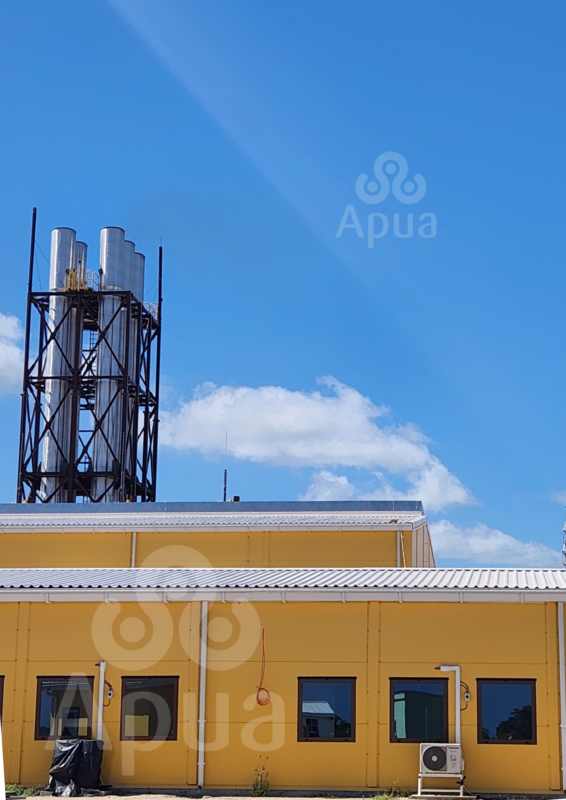
Testing has commenced for the recently constructed 47-megawatt power plant that uses Liquid Natural Gas (LNG), which was erected by the Antigua Power Company Ltd. under an agreement with the Antigua Public Utilities Authority (APUA).
APUA has released a statement stating that they are presently working with their partners at APCL to determine the most effective way to commission the new 5-engine, 47-megawatt Liquefied Natural Gas (LNG) Plant.
On Wednesday, November 22, 2023, the officials of the APC and APUA had a meeting to discuss the system outage that occurred on Tuesday, November 21, 2023, due to the LNG plant tripping offline while carrying out a performance test as part of the commissioning process.
During the performance test, a single engine failure was reported due to mechanical issues.
At the time of the system outage, the load demand was estimated to be 50 megawatts, while the power generation output from the LNG Plant was reported to be 46.5 megawatts.
Unfortunately, the single engine at the Black Pine Power Plant was not enough to balance the electricity demand with power generation. APUA indicated that they anticipate further performance and reliability tests to be carried out until Friday, November 24, 2023.

The release also states that during the testing process, technical or mechanical issues may arise, which could increase the likelihood of power outages.
While the plant will mainly operate on regasified LNG, it will use diesel in the interim until the LNG terminal is completed early in 2024.
By using regasified LNG, the cleanest of all fossil fuels, there will be a 40% reduction in carbon production, which is in line with APUA and the government’s plan to reduce carbon emissions.
The introduction of this additional plant will enable increased capacity for generation while ensuring a more consistent delivery of electricity to customers, alongside future Renewable Energy Solutions.
This story was first published by Antigua News on : antigua.news/2023/11/23/new-lng-power-plant-being-tested. © 2023 Antigua News. Republication without permission is not allowed.

About the author
The Editorial Staff refers to all reporters employed by Antigua.news. When an article is not an original creation of Antigua.news—such as when it is based on a press release, other media articles, letters to the editor, or court decisions—one of our staff members is responsible for overseeing its publication.
Read our editorial standards and corrections policy. Spotted an error? Contact the newsroom.
More from Antigua and Barbuda
View section
Senator Colin O’Neal Earns Political Science Degree at UWI Five Islands, Sets Sights on Law Degree
Senator Colin O’Neal graduates with a Bachelor’s Degree in Political Science from UWI Five Islands Campus and announces plans to pursue a law degree in 2027.
By Cory Wayland

Young Man Suffers Minor Scrapes After Leg Gets Trapped in St. John’s Sidewalk Grating
The incident raises fresh concerns about pedestrian safety following similar occurrences in the city.
By Cory Wayland

Mighty Sparrow’s National Funeral Set for October 16 as Trinidad and Tobago Prepares Grand Farewell
Two days of public viewing and a grand cultural procession will precede the October 16 Celebration of Life honouring the legendary entertainer whose music helped shape Caribbean culture.
By Cory Wayland

Antigua and Barbuda Art Week 2026 to Bring Folklore and Creativity to Life with Exciting New Experiences
From the legendary Jam Bull to evening gallery tours, live painting battles and interactive workshops, this year's Art Week promises an immersive celebration of Antigua and Barbuda's artistic and cultural heritage.
By Cory Wayland
Comments
Be the first to comment.