
Burton-Nibbs International Airport to Focus on Daytime Operations for the Time Being

By Aabigayle McIntosh
The Barbuda International Airport, to be renamed Burton-Nibbs International, will be able to accommodate aircraft like those operated by LIAt 2020, ATRs, and ERJ 175, which can carry 76 passengers.
Those aircraft fly into the Commonwealth of Dominica or Jamaica’s Ian Flemming International in Ocho Rios.
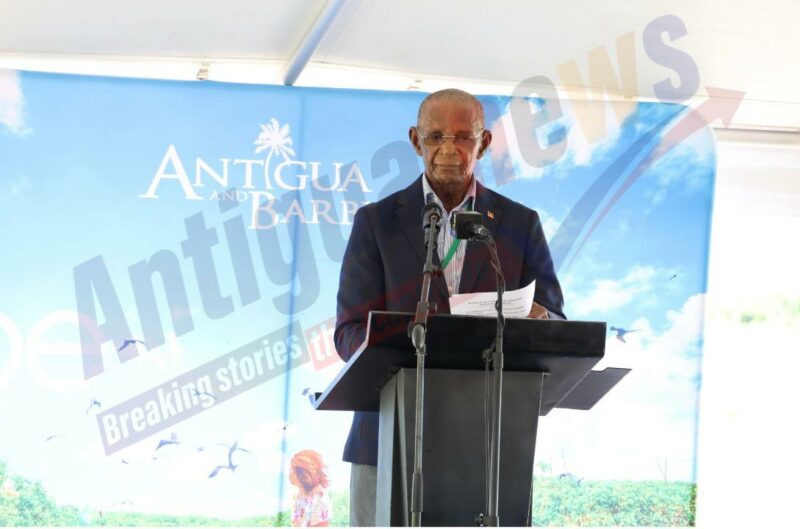
Chairman of the Antigua and Barbuda Airport Authority Rolston “Polly” Potter shared those intimate details on Thursday during the official opening of the facility, which was preceded by a lavish ceremony attended by several dignitaries and other officials.
“We are able now here to accommodate along with those mentioned aircraft, a host of private and corporate jet traffic. Barbuda can now compete with other international destination inn commercial, private and commercial air traffic. This is a milestone achievement,” he said.
For now, the international airport will operate primarily during the day; however, lighting systems are in place to accommodate a nighttime operation if necessary.
“This airport can support night emergencies effectively providing relief and joy before daylight if and when it is needed. Significantly our local Barbudan staff have been trained and upgraded to international standards and they now command equal pay with what is equivalent to the staff at the VC Bird International Airport,” Potter said.
He also explained that Barbuda’s own Judith Harris will be promoted to management at the completion of her current training.
Potter said while the road was long and hard, it was yet rewarding as Barbuda now has its own gateway to the rest of the world.

This story was first published by Antigua News on October 4, 2024: antigua.news/2024/10/04/burton-nibbs-international-airport-to-focus-on-daytime-operations-for-the-time-being. © 2024 Antigua News. Republication without permission is not allowed.

About the author
The Editorial Staff refers to all reporters employed by Antigua.news. When an article is not an original creation of Antigua.news—such as when it is based on a press release, other media articles, letters to the editor, or court decisions—one of our staff members is responsible for overseeing its publication.
Read our editorial standards and corrections policy. Spotted an error? Contact the newsroom.
More from Antigua and Barbuda
View section
Hundreds Join CIBC Walk for the Cure as Participation Hits Record High
The 15th annual event brought together cancer survivors, families and supporters to raise awareness and funds for cancer care.
By Shermain Bique-Charles

Antigua and Barbuda Airport Authority Secures Seat on Regional Aviation Board
The 2026–2027 appointment gives the authority a stronger voice in regional discussions on airport development, safety and connectivity.
By Shermain Bique-Charles

PM Warns Roadside Vendors to Improve Structures and Orderliness
Browne says vending standards must rise while acknowledging the importance of livelihoods.
By Shermain Bique-Charles

Banks Urged to Lend More for Domestic Development
Prime Minister says conservative lending practices are limiting the sector’s contribution to economic activity.
By Shermain Bique-Charles
Comments (1)
Faithful national #1 October 4, 2024, 5:53 PM
“GROUND FAKING” to
RECORD BREAKING, TO
BREATHTAKING. TRULY…..
HISTORY IN THE MAKING.