
Lightning Safety Facts: What You Should Do

By Cory Wayland
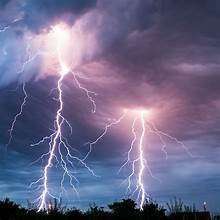
Stay Safe: Understanding Lightning and How to Protect Yourself**
As storm season approaches, understanding lightning safety is more important than ever. Lightning remains one of the deadliest weather phenomena, ranking as the #2 weather killer in the U.S., second only to floods. Each year, around 100 people lose their lives to lightning strikes, while approximately 1,000 individuals suffer injuries. This summer, it’s crucial to familiarize yourself with proper lightning safety measures.
The 30-30 Rule
The ‘30-30 Rule’ is a simple guideline that can significantly improve your safety during thunderstorms. When you see lightning, start counting the seconds until you hear thunder. If your count reaches 30 seconds or less, the storm is dangerously close—seek shelter immediately. After the last flash of lightning, wait at least 30 minutes before leaving your safe space to ensure the storm has passed.
Finding Shelter
Your best protection against lightning is a fully enclosed building with wiring and plumbing like a house. If indoors, remember to stay away from phones, electrical devices, and plumbing fixtures. Inner rooms are generally safer, and it’s best not to watch the storm from windows or doorways.
If you are in a vehicle during a storm, a car with a metal roof and sides can provide adequate protection. Similar to a building, avoid touching metal parts of the car that lead outside.

The Fatal Impact of Lightning
Florida is noted for having the highest incidence of lightning deaths and injuries in the U.S., making awareness particularly critical for residents and visitors. Beyond fatalities, survivors often deal with severe and long-lasting neurological symptoms, which can include memory deficits, chronic pain, sleep disturbances, and more.
The Odds
For the average person living in a typical environment with standard outdoor habits, the odds of being struck by lightning in a given year is approximately 1 in 280,000. These numbers are even steeper in Florida, with chances closer to 1 in 80,000 per year. While these statistics may seem daunting, understanding lightning safety greatly mitigates your risk.
Stay safe and be prepared!
This story was first published by Antigua News on : antigua.news/2025/05/17/lightning-safety-facts-what-you-should-do. © 2025 Antigua News. Republication without permission is not allowed.

About the author
Cory Wayland is the Social Media Co-ordinator at Antigua.News, where he manages digital content strategy, audience engagement, and real-time news publications across social platforms. With a keen eye for trending topics and a commitment to factual storytelling, Cory plays a key role in shaping the online voice of Antigua.News.
Read our editorial standards and corrections policy. Spotted an error? Contact the newsroom.
More from Antigua and Barbuda
View section
Senator Colin O’Neal Earns Political Science Degree at UWI Five Islands, Sets Sights on Law Degree
Senator Colin O’Neal graduates with a Bachelor’s Degree in Political Science from UWI Five Islands Campus and announces plans to pursue a law degree in 2027.
By Cory Wayland

Young Man Suffers Minor Scrapes After Leg Gets Trapped in St. John’s Sidewalk Grating
The incident raises fresh concerns about pedestrian safety following similar occurrences in the city.
By Cory Wayland

Mighty Sparrow’s National Funeral Set for October 16 as Trinidad and Tobago Prepares Grand Farewell
Two days of public viewing and a grand cultural procession will precede the October 16 Celebration of Life honouring the legendary entertainer whose music helped shape Caribbean culture.
By Cory Wayland

Antigua and Barbuda Art Week 2026 to Bring Folklore and Creativity to Life with Exciting New Experiences
From the legendary Jam Bull to evening gallery tours, live painting battles and interactive workshops, this year's Art Week promises an immersive celebration of Antigua and Barbuda's artistic and cultural heritage.
By Cory Wayland
Comments (2)
Yola May 17, 2025, 5:53 PM
Unruly One May 17, 2025, 11:26 PM