
New BIA is Cornerstone of Gov’ts Vision for Sister Ilse

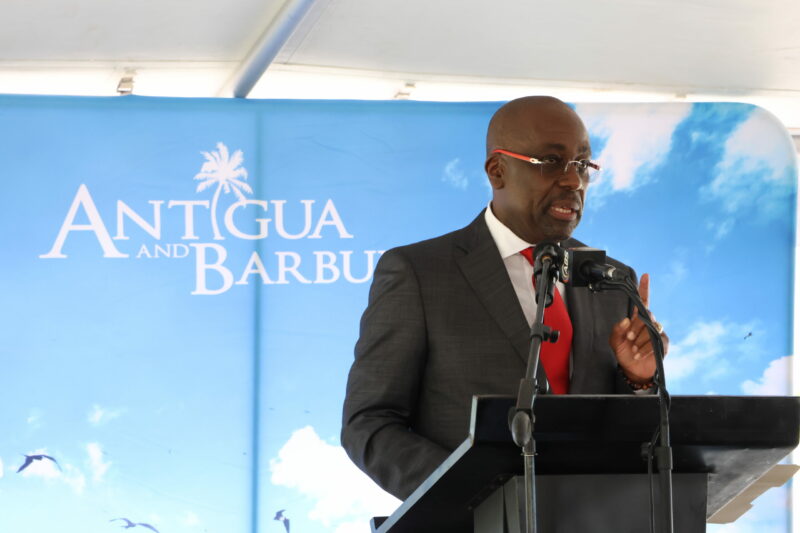
The official opening of the Barbuda International Airport is a testament to the unwavering commitment to building and revitalizing the Sister Isle,” said Minister of Barbuda Affairs E.P. Chet Greene.
The multi-million-dollar facility was officially opened last week. Greene recalled that when Hurricane Irma decimated Barbuda, many thought the government’s vision could not be materialized.
“As you look around, we all know what hurricanes do. Can we picture this site in 2017?…we can in April, and by September Hurricane devastated Barbuda…Some thought that it would be an elimination of the vision…but leadership matters”, he said
“Greene emphasized that from the beginning, the Antigua and Barbuda Labour Party government has steadfastly committed to rejuvenating Barbuda and turning it into a self-sufficient hub that increases its appeal as a top-tier destination. He strongly believes that the opening of the airport will lead to a substantial increase in tourism on the island.”
“It will also provide a significant boost in tax revenue for the nation, benefiting not only the government but empowering locals by creating investment opportunities. This airport is more than just a facility but a beacon of opportunity, where Barbuda can realize its true potential”, he said
The government expects that the new airport will increase economic activities due to the new demand for products and services
“We anticipate a surge in demand for car rentals, more restaurants, watersport activities, and the rise of a vibrant nightlife including clubs and bars…” he said
He said the Barbuda Council will also benefit from revenue streams.

This story was first published by Antigua News on October 7, 2024: antigua.news/2024/10/07/new-bia-is-cornerstone-of-govts-vision-for-sister-ilse. © 2024 Antigua News. Republication without permission is not allowed.

About the author
The Editorial Staff refers to all reporters employed by Antigua.news. When an article is not an original creation of Antigua.news—such as when it is based on a press release, other media articles, letters to the editor, or court decisions—one of our staff members is responsible for overseeing its publication.
Read our editorial standards and corrections policy. Spotted an error? Contact the newsroom.
More from Antigua and Barbuda
View section
Antigua and Barbuda Airport Authority Secures Seat on Regional Aviation Board
The 2026–2027 appointment gives the authority a stronger voice in regional discussions on airport development, safety and connectivity.
By Shermain Bique-Charles

PM Warns Roadside Vendors to Improve Structures and Orderliness
Browne says vending standards must rise while acknowledging the importance of livelihoods.
By Shermain Bique-Charles

Banks Urged to Lend More for Domestic Development
Prime Minister says conservative lending practices are limiting the sector’s contribution to economic activity.
By Shermain Bique-Charles

PM Browne Calls for Support for Locally Made Toilet Paper
Prime Minister highlights a new producer and says a larger operation is expected next year.
By Shermain Bique-Charles
Comments
Be the first to comment.